2nd Place MRNC 2026 - Smart Factory

Robotikiyat Hybrid

Autonomous & IoT remote-controlled system for Industry 4.0
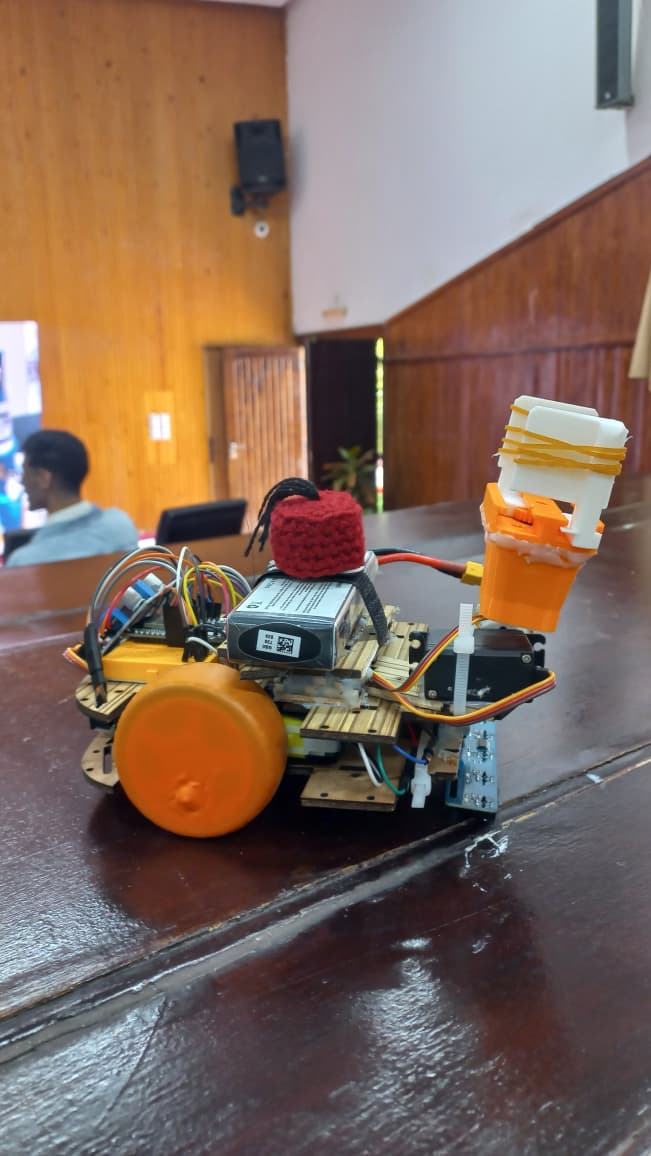
The Hybrid Robot

The Hybrid Robot

Detailed view of the system

Award Ceremony

Award Ceremony

2nd Place at MRNC 2026

Project Overview

The Robotikiyat Hybrid is an award-winning robotic system that secured 2nd place at the MRNC 2026 "Smart Factory" competition (organized by the Mechatronics Club at ENSET Mohammedia).

It stands out by seamlessly blending "Zero-Fault" autonomous navigation, Bluetooth-controlled material handling, and real-time IoT synchronization with factory infrastructure.

Software Architecture & IoT

What truly sets this robot apart is its software architecture. Upon power-up, it uses Wi-Fi to perform an automatic security handshake on Port 5000 with the central server (IP: 34.175.59.17).

Once authenticated, it can algorithmically trigger HTTP GET requests to physically control external factory elements (turntable, security gates, storage elevator) exactly when it encounters them on the production line.

Robot Components

Click on a component's name to see what it looks like before starting the wiring.
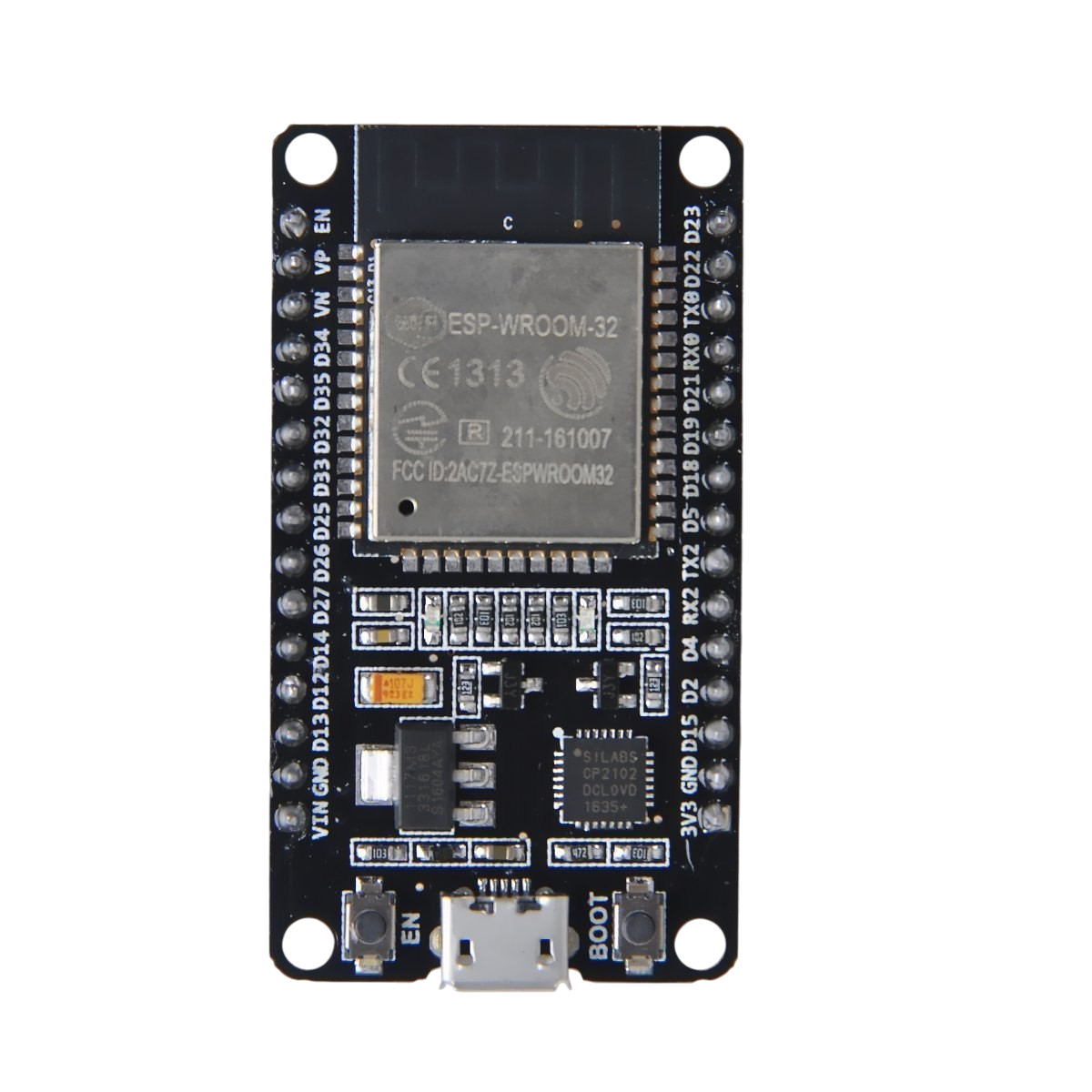
ESP32 WROOM-32

Wiring Diagram

Follow this table to exactly replicate the robot's connections. Make sure to connect all grounds (GND) together to avoid erratic behavior.

Origin ComponentPinDestinationFunction
ESP32 WROOM-3213, 14, 12Driver L298NRight Wheel (enA, in1, in2)
25, 27, 26Driver L298NLeft Wheel (enB, in3, in4)
2, 4Servos SG90Arm & Gripper Signal
18, 19, 21, 22, 23Array IR (5 Ch)Black/White Line Reading
5 (Trig), 17 (Echo)HC-SR04Obstacle Detection (15cm)
PDB XT60 (LiPo 3S)12VL298N (VCC)DC Motors Power Supply
5VESP32 (VIN/5V)Logic Power Supply
Batterie Li-Ion 2SLM2596 (5V)Servos SG90 (VCC)Dedicated Servo Power (Prevents reboots)
⚠️ IMPORTANT: Connect all GNDs (ESP32, L298N, Sensors, LM2596, PDB) together.

Complete Source Code (ESP32)

Copy this code and upload it via the Arduino IDE. Don't forget to install the ESP32Servo and HTTPClient libraries.

Important: Before uploading, you absolutely must modify the variables ssid, password, serverIP, and teamToken at the top of the code with your own network information!

main.cpp
#include <WiFi.h>
#include <HTTPClient.h>
#include <ESP32Servo.h>
#include "BluetoothSerial.h"

BluetoothSerial SerialBT;
Servo gripperServo; 
Servo liftServo; 

// --- Official Robotikiyat IoT Configuration ---
const char* ssid = "VOTRE_NOM_WIFI"; 
const char* password = "VOTRE_MOT_DE_PASSE";
const char* serverIP = "34.175.59.17"; // À modifier si le serveur change
const String teamToken = "VOTRE_TOKEN_EQUIPE"; 

// --- PIN ASSIGNMENT (Critical: enB moved to 33) ---
const int buttonPin = 25;        // Physical Button for Défis
const int enB = 33;              // enB MOVED from 25 to 33
const int enA = 13; const int in1 = 14; const int in2 = 12; // Right Motor
const int in3 = 27; const int in4 = 26; // Left Motor
const int sensorPins[] = {18, 19, 21, 22, 23}; 
int s[5]; 
const int trigPin = 5;
const int echoPin = 17;

// --- State Logic ---
enum RobotMode { MANUAL, AUTO };
RobotMode currentMode = MANUAL; 
bool missionAuthorized = false; 
int stationCount = 0; // Tracks sequence: 0:Table, 1:Door, 2:Elevator

void setup() {
  Serial.begin(115200);
  
  pinMode(buttonPin, INPUT_PULLUP); 
  pinMode(enA, OUTPUT); pinMode(in1, OUTPUT); pinMode(in2, OUTPUT);
  pinMode(enB, OUTPUT); pinMode(in3, OUTPUT); pinMode(in4, OUTPUT);
  for (int i = 0; i < 5; i++) pinMode(sensorPins[i], INPUT);
  pinMode(trigPin, OUTPUT); pinMode(echoPin, INPUT);

  gripperServo.attach(2); gripperServo.write(0); 
  liftServo.attach(4); liftServo.write(40); 

  SerialBT.begin("Robotikiyat_Hybrid"); 

  // 1. AUTOMATIC WIFI CONNECTION
  Serial.print("Connecting WiFi...");
  WiFi.begin(ssid, password);
  while (WiFi.status() != WL_CONNECTED) { delay(500); Serial.print("."); }
  Serial.println("\nWiFi Connected!");

  // 2. AUTOMATIC HANDSHAKE 
  // URL: http://34.175.59.17:5000/CHECK/VOTRE_TOKEN
  while (!missionAuthorized) {
    Serial.println("Attempting Automatic Handshake...");
    if (sendIoTRequest("/CHECK/", 5000)) { 
      missionAuthorized = true;
      Serial.println("MISSION AUTHORIZED. Use Pin 25 for Défis.");
    } else {
      delay(2000); // Retry automatically
    }
  }
}

void loop() {
  if (!missionAuthorized) return;

  // --- MANUAL DÉFI TRIGGER (ON RELEASE) --- 
  if (digitalRead(buttonPin) == LOW) {
    while (digitalRead(buttonPin) == LOW) { delay(10); } // Wait for release
    handleButtonTrigger();
  }

  // --- BLUETOOTH CONTROL ---
  if (SerialBT.available()) {
    char cmd = SerialBT.read();
    if (cmd == 'W') { currentMode = AUTO; } 
    else if (cmd == 'w') { move(0, 0); currentMode = MANUAL; }
    if (cmd == 'X') { handleButtonTrigger(); } // Remote backup
    if (currentMode == MANUAL) handleManualDrive(cmd);
  }

  // --- SUIVEUR DE LIGNE ---
  if (currentMode == AUTO) {
    handleAutonomousLogic();
  }
}

void handleButtonTrigger() {
  if (stationCount == 0) {
    Serial.println("Requesting Table..."); // 
    if (sendIoTRequest("/table?token=", 80)) { stationCount++; }
  } 
  else if (stationCount == 1) {
    Serial.println("Requesting Door..."); // 
    if (sendIoTRequest("/door?token=", 80)) { stationCount++; }
  }
  else if (stationCount == 2) {
    Serial.println("Requesting Elevator..."); // 
    if (sendIoTRequest("/elevator?token=", 80)) { stationCount++; }
  }
}

bool sendIoTRequest(String path, int port) {
  if (WiFi.status() != WL_CONNECTED) return false;
  HTTPClient http;
  String url = "http://" + String(serverIP) + ":" + String(port) + path + teamToken;
  http.begin(url);
  http.setTimeout(10000); 
  int httpCode = http.GET();
  if (httpCode > 0) {
    String payload = http.getString();
    http.end();
    return (payload.indexOf("SUCCESS") != -1); //
  }
  http.end();
  return false;
}

void handleAutonomousLogic() {
  if (getDistance() <= 10) { move(0, 0); return; } // Safety stop only
  readSensors();
  if (s[2] == 0 && s[1] == 1 && s[3] == 1) { move(160, 160); } 
  else if (s[1] == 0) { move(80, 150); } 
  else if (s[0] == 0) { move(-70, 150); } 
  else if (s[3] == 0) { move(150, 80); } 
  else if (s[4] == 0) { move(150, -70); } 
  else if (s[0] == 0 && s[1] == 0 && s[2] == 0 && s[3] == 0 && s[4] == 0) { move(160, 160); }
}

void handleManualDrive(char cmd) {
  switch (cmd) {
    case 'F': move(200, 200); break; case 'B': move(-200, -200); break;
    case 'R': move(200, -200); break; case 'L': move(-200, 200); break; case 'S': move(0, 0); break;
    case 'v': gripperServo.write(0); break; case 'V': gripperServo.write(70); break;
    case 'u': liftServo.write(40); break; case 'U': liftServo.write(140); break;
  }
}

void move(int L, int R) {
  digitalWrite(14, R >= 0 ? HIGH : LOW); digitalWrite(12, R >= 0 ? LOW : HIGH); analogWrite(13, abs(R));
  digitalWrite(27, L >= 0 ? HIGH : LOW); digitalWrite(26, L >= 0 ? LOW : HIGH); analogWrite(enB, abs(L));
}

void readSensors() { for (int i = 0; i < 5; i++) s[i] = digitalRead(sensorPins[i]); }

long getDistance() {
  digitalWrite(5, LOW); delayMicroseconds(2); digitalWrite(5, HIGH); delayMicroseconds(10); digitalWrite(5, LOW);
  long duration = pulseIn(17, HIGH, 30000); return (duration == 0) ? 999 : (duration * 0.034 / 2);
}

Specifications

Core Electronics

  • Brain: ESP32 WROOM-32
  • Motor Driver: L298N

Motors (L298N)

  • Right Wheel: 13 (enA), 14 (in1), 12 (in2)
  • Left Wheel: 25 (enB), 27 (in3), 26 (in4)
  • Arm/Gripper: 2x SG90 (Pins 2 & 4)

Sensors

  • Infrared Array (5 Ch): 18, 19, 21, 22, 23
  • Ultrasonic HC-SR04: Trig 5, Echo 17 (Calibrated at 15cm)

Power Supply

  • Main Battery: 3S LiPo + XT60 PDB (12V & 5V)
  • Servo Battery: 2S Li-Ion
  • Regulator: Buck Converter LM2596 (5V)

Network

  • Server: 34.175.59.17
  • TCP Port: 5000

Want to build this robot? 🚀

We have prepared a Complete Pack containing everything you need to assemble this robot from A to Z. Don't waste time looking for parts one by one!

📦 The pack contains:

  • Chassis & 3D Gripper
  • ESP32 WROOM-32 & L298N Driver
  • Sensors (Infrared & Ultrasonic)
  • Servomotors & DC Motors
  • Batteries (3S LiPo + 2S Li-Ion) & Power Supply
  • Cables and all necessary components

Contact us directly to order your pack: